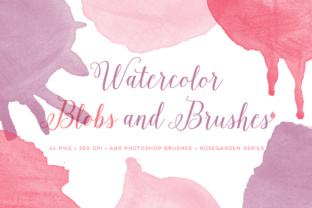
Watercolour Photoshop Brush Set: High-Resolution Bonus Included
There's a certain irreplaceable quality to hand-painted art. The way pigment bleeds at the edges, the subtle texture of the paper showing through, the beautiful imperfections that give a piece soul. In our digital world, achieving that organic, human touch can be a challenge. We often end up with graphics that feel sterile or overly polished. This is precisely where the right design assets become invaluable. The Watercolour Photoshop Brush Set, complete with a high-resolution bonus, is designed to bridge that gap, offering a direct line to authentic, painterly aesthetics for your digital projects.
Understanding the Core Asset: Two Sets of Round Brushes
At its heart, this package provides a versatile foundation for creating watercolour effects. You receive two ABR brush files, each containing 12 distinct round watercolour designs. These aren't simple circular stamps; they are crafted to mimic the natural flow and variable opacity of a real brush loaded with pigment and water. Think of the way a brushstroke starts with a concentrated pool of colour and then feathers out into a translucent wash. That's the kind of organic behaviour you can control.
The set is thoughtfully divided for compatibility and quality. The CS version supports brushes up to 2500 pixels, making it a reliable choice for most standard print and digital work. For those requiring higher fidelity, the CC version offers brushes up to approximately 3500 pixels. This is a significant advantage for large-format printing, high-DPI screens, or detailed editorial design where every pixel matters. The brushes are compatible with a wide range of Photoshop versions, from CS2 upwards, and likely even older versions like PS 7.0 and Elements, though the CC file's maximum size may be limited in those environments.
A Practical Approach to Using These Brushes
Working with these brushes is intuitive. Select a brush, choose a colour from your palette, and paint on a new layer. The real artistry comes from experimentation. Vary your brush size and opacity settings. Use a soft, low-opacity brush to build up layers of colour for depth, just as you would with physical watercolours. For a more textured effect, try stamping single touches rather than long strokes. Because these are round brushes, they are incredibly versatile for creating everything from subtle background washes to bold, statement strokes for logo design or social media graphics.
The 'Sunshine' Bonus: 48 Ready-to-Use PNG Elements
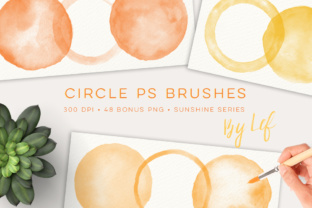
Beyond the dynamic brushes, the included bonus set dramatically expands your creative toolkit. You get 48 high-quality PNG files at 300 DPI, sized up to around 2000 pixels. This isn't just a handful of extras; it's a substantial collection organized in the cheerful 'Sunshine' palette. The set features 12 unique designs, each presented in four complementary colour variations.
The practical value of this cannot be overstated. While the brushes allow you to paint custom elements, the PNGs provide instant, drag-and-drop graphics. This is a massive time-saver when you're on a tight deadline. Need a hand-painted frame for a wedding invitation? A textured blob for a website header? A decorative element for a scrapbook page? The PNG set has you covered. The consistency of the 'Sunshine' palette across the 12 designs ensures that any elements you choose will work harmoniously together, which is a cornerstone of strong brand identity and cohesive design.
Where This Set Truly Shines: Real-World Applications
The applications for this Watercolour Photoshop Brush Set and its bonus PNGs span a remarkable range of creative fields. For branding and logo design, these assets can inject personality and warmth into a brand, making it feel approachable and artisanal. A café, a boutique, a wellness coach, or a craft brewery could use these textures to create a memorable visual identity that stands apart from corporate minimalism.
In marketing and social media graphics, the hand-painted touch is gold. It stops the scroll. Use the brushes to create custom backgrounds for Instagram posts, unique borders for promotional flyers, or textured overlays for video thumbnails. The organic feel builds an emotional connection with the audience, enhancing engagement. For editorial design and packaging design, these brushes can add a layer of sophistication and craft. Imagine a magazine feature with watercolour accents or a product label that feels lovingly designed by hand.
For personal projects, the possibilities are equally rich. Crafters and hobbyists will find endless uses in digital scrapbooking, creating personalized greeting cards, or designing custom stationery. The PNG elements are particularly useful here for adding quick, professional-looking embellishments. Even for web design, subtle watercolour textures can soften a layout, guide the viewer's eye, and make a website feel more inviting and less templated.
Integrating Watercolour Elements into Your Workflow
Adopting any new design asset requires a bit of strategy to ensure it enhances rather than clutters your work. When incorporating the Watercolour Photoshop Brush Set, start by considering the overall tone of your project. These brushes convey creativity, warmth, and a human touch. They are perfect for projects aiming for a handwritten or artisan feel but might not align with a strictly ultra-modern, geometric brand.
Font pairing is critical. To let the watercolour elements breathe, pair them with clean, simple typefaces. A serif font with classic proportions or a clean sans serif font often works beautifully, providing a stable foundation that contrasts with the organic shapes. Avoid pairing them with overly decorative script fonts or handwritten fonts that might compete for attention and reduce readability.
Finally, remember the principle of restraint. A single, well-placed watercolour accent can have more impact than a page splattered with them. Use the brushes to highlight key information, create visual hierarchy, or frame important content. This thoughtful application will ensure your designs feel polished and professional, leveraging the unique charm of the Watercolour Photoshop Brush Set to its fullest potential. This asset isn't just a collection of tools; it's a pathway to infusing your digital work with the timeless appeal of the artist's hand.