Authentic Watercolour Brushes for Photoshop
Beyond the Filter: Why Hand-Painted Texture Matters
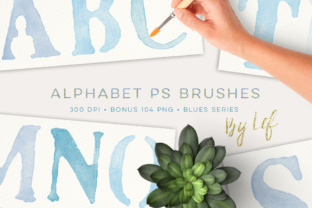
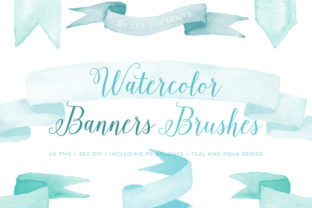
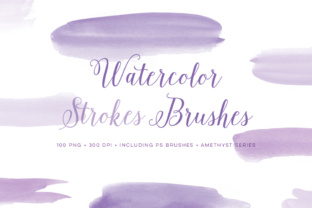
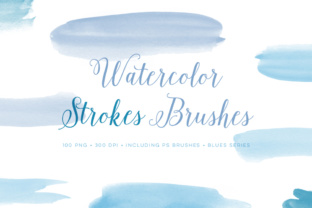
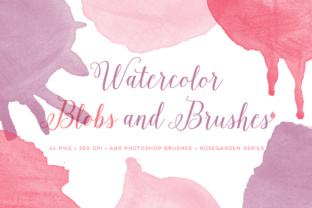
In a digital landscape saturated with perfect gradients and sharp vectors, there's a growing hunger for something with a human touch. We crave the subtle imperfections, the organic flow, and the genuine warmth that only hand-created elements can provide. This is precisely the appeal of a resource like Watercolour Photoshop Brushes Plus Pink Bonus Files. It’s not just a collection of digital stamps; it's a direct bridge from a physical paintbrush to your screen. Each stroke was hand-painted, scanned at a high resolution of 300 DPI, and carefully converted into a Photoshop brush preset. The result is an authentic watercolour look that feels alive, with all the beautiful bleeds, granulation, and texture you'd expect from real paint on paper.
The personality of this brush set is inherently artistic, soft, and expressive. It carries a sense of nostalgia and craftsmanship. The visual style avoids the sterile, overly-produced look of many synthetic textures. Instead, it offers a rich, layered aesthetic that can add depth and emotion to any project. The inclusion of the Pink Bonus Files is a thoughtful addition, providing a cohesive colour palette that can be used to create harmonious, on-trend designs or to add a gentle, feminine accent to a broader colour scheme. This isn't just a tool; it's a foundational design asset for building a unique and memorable visual language.
Where This Watercolour Set Truly Shines
The versatility of these high-resolution brushes is one of their greatest strengths. For brand identity, they are a game-changer. Imagine a boutique bakery logo where the name is rendered in a delicate script font, but the background or supporting elements are built from soft, pink watercolour washes. This immediately communicates a sense of artisanal quality, care, and warmth. It works equally well for wedding planners, florists, therapists, and lifestyle brands that want to project an approachable and creative personality.
In editorial design and packaging design, these brushes can break the monotony of standard layouts. A magazine cover could use a bold watercolour splash to frame the main headline, or a product label for a handmade soap could feature subtle, watercolour-style illustrations. For digital creators and social media graphics, the applications are endless. They can be used to create unique post backgrounds, eye-catching Instagram Stories, or elegant Pinterest pins that stand out in a busy feed. The brushes also lend themselves beautifully to personal projects like scrapbooking, digital journaling, and creating custom invitations or greeting cards.
Integrating Texture with Intention: A Practical Guide
Adding texture is easy; adding it with purpose is what separates good design from great design. When incorporating the Watercolour Photoshop Brushes Plus Pink Bonus Files into your workflow, think about composition and contrast. These brushes are inherently expressive, so pairing them with clean, structured typography is often a winning strategy. A modern sans-serif font for your body text or a classic serif font for headlines can create a beautiful tension that makes both elements more impactful. This contrast ensures your design feels balanced and professional, not chaotic.
Before committing, always test how the brushes interact with your specific project's colour palette. While the pink bonus files are a great starting point, experiment with layering different colours and adjusting the opacity to achieve the perfect mood. Pay close attention to readability. A watercolour background texture is beautiful, but it should never compete with your core message. Use it in areas where it won't obscure text, or apply it with a very low opacity to add depth without distraction. Always review the licensing for any commercial project to ensure it aligns with your intended use, especially for items for resale like prints or merchandise. By treating these brushes as a key part of your design toolkit—not just a last-minute overlay—you can unlock their full potential to create work that feels both beautiful and authentically crafted.