Enhanced Watercolour Brushes Procreate: Your Digital Art Toolkit
More Than Just a Set of Strokes
When you think of a premium design asset, you might immediately picture a polished typeface or a complex vector logo pack. But for digital artists, illustrators, and crafters, the most valuable assets are often the ones that replicate a tangible, human touch. The Enhanced Watercolour Brushes Procreate set is a perfect example. This isn't just a collection of digital tools; it's a comprehensive system designed to bring the organic, fluid beauty of traditional watercolour painting directly into your iPad workflow. For anyone working in illustration, branding, or creative publishing, this pack addresses a fundamental challenge: making digital art feel authentically handmade.
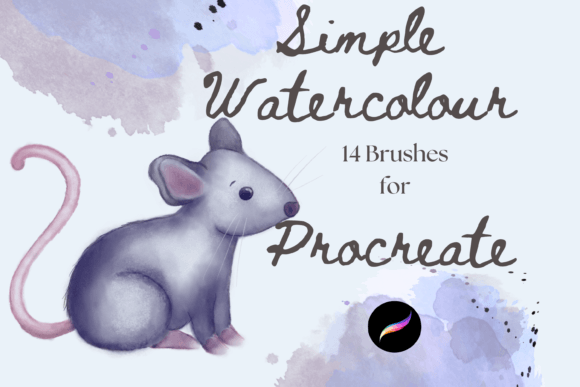
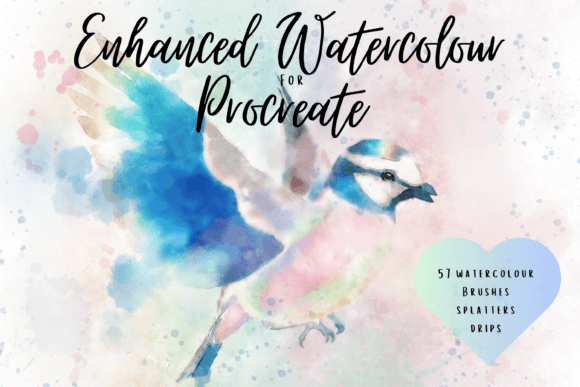
The personality of these brushes is immediately apparent. They are built for creating whimsical, textured, and deeply realistic watercolour effects. You won't find sterile, uniform lines here. Instead, you get multi-tonal washes that blend softly, textured strokes that mimic cold-press paper, and painterly edges that bleed and bloom just like real pigment on wet paper. The inclusion of 57 pressure-sensitive brushes means you have incredible control over opacity and flow. A light touch with your Apple Pencil yields a delicate, faint wash, while applying more pressure creates rich, saturated colour. This dynamic response is what separates a good digital brush from a great one, allowing for an expressive range that feels intuitive and natural. The addition of drip and splash stamps is a thoughtful touch, offering a quick way to add that final layer of watery realism to a piece.
Where This Watercolour Toolkit Truly Shines
Understanding the strengths of the Enhanced Watercolour Brushes Procreate set is key to using it effectively. Its core appeal lies in its ability to create beautiful whimsical watercolour illustrations, but its applications extend far beyond that single style. For designers and brand strategists, these brushes are a secret weapon for developing a unique and approachable brand identity. Imagine crafting a logo for a boutique bakery, a wellness brand, or a children's author. Instead of relying on a generic script font for a logo design, you could hand-letter the brand name using these brushes, giving the identity an immediate sense of warmth, authenticity, and artistry. This kind of creative font alternative can set a brand apart in a crowded market.
The utility of this pack shines in editorial and packaging design. A food blogger could use them to create custom watercolour illustrations for recipe headers or e-book covers. A publisher could design eye-catching chapter dividers for a cookbook or a novel. For small business owners creating product packaging, these brushes allow you to design unique patterns for wrapping paper, custom gift tags, or charming labels that stand out on the shelf. The versatility is immense. The same assets used for a delicate wedding invitation can be repurposed to create vibrant social media graphics for an Instagram campaign, ensuring visual consistency across all platforms. This adaptability makes it a cost-effective and powerful addition to any designer's toolkit.
A Practical Guide to Integrating Watercolour into Your Projects
Adopting a new design asset requires a practical approach. First, consider how the visual style of the Enhanced Watercolour Brushes Procreate set fits your project's goals. The soft, handcrafted aesthetic is perfect for projects aiming to evoke emotion, nostalgia, or a personal connection. It’s an excellent choice for wedding stationery, artisanal product branding, and storytelling illustrations. However, for a corporate financial report or a tech startup's minimalist UI, a clean sans serif font and sharp vector graphics might be more appropriate. Always evaluate the project's tone and audience first.
Once you've decided the style is a good fit, the real work begins. A crucial tip for achieving realism is to use the paper texture brushes on a separate layer set to the multiply blend mode. This allows the texture to interact with the colours beneath it, creating a convincing effect of paint on paper. Don't be afraid to experiment with layering. Build up your illustrations gradually, starting with light, foundational washes and adding darker, more detailed strokes on top. Use the drip stamps sparingly for maximum impact. Overusing them can make a design feel cluttered rather than artistic.
For those considering this pack for commercial use, the licensing is straightforward. These are digital brushes designed exclusively for the Procreate App on an iPad with an Apple Pencil. This is a critical compatibility point. They will not function in Photoshop or Illustrator. Before purchasing, ensure your hardware and software setup aligns with these requirements. The instant download format means you can be up and running in minutes, integrating these tools into your next project immediately. This pack isn't just another set of design assets; it's a gateway to a more expressive and human-centred digital art practice, capable of elevating everything from a personal scrapbook to a professional brand campaign.